When using MojoSells for real estate prospecting, you have two primary options for populating your calling lists. You can either purchase Mojo’s built-in lead data or upload your lists from outside sources. Both approaches have their advantages, and the best strategy often comes from blending the two.
In this breakdown, we’ll compare the strengths of Mojo’s data service with the benefits of importing your leads so you can build a calling strategy that fits your business goals.
Benefits of Using Mojo Data

One of the most significant advantages of MojoSells is its built-in lead generation service. Mojo provides daily access to FSBO, expired listings, and neighborhood data directly inside your account. Because these lists are explicitly formatted for Mojo’s dialer, you can start calling immediately without worrying about data compatibility.
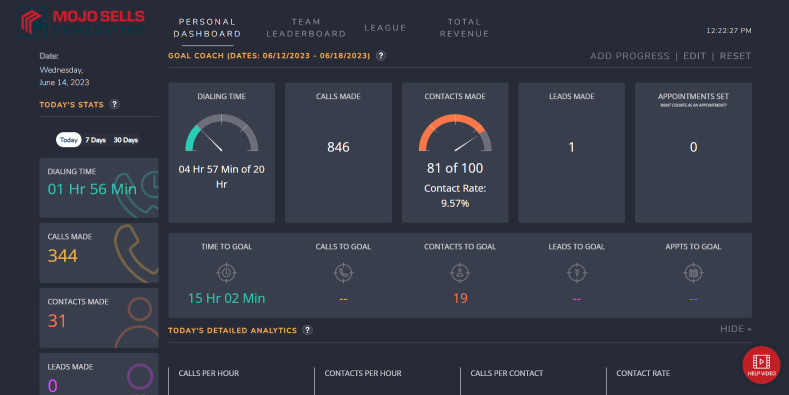
Mojo’s data can be filtered by multiple factors, including property price, zip code, and list date, allowing you to focus on the highest-value leads. Since the information is pulled and formatted by Mojo, it is cleaner, easier to manage, and instantly organized in the Mojo Lead Manager. For many agents, this means spending less time preparing lists and more time making calls.

Benefits of Uploading Your Lists

Importing your data into Mojo offers a different kind of advantage: control. You decide the source, quality, and format of the leads you’re calling. This is especially useful if you work with niche prospecting lists such as past clients, your sphere of influence, or targeted geographic farm areas.
By pulling lists from your CRM or other lead sources, you can tag and segment leads according to your follow-up logic. This means you can integrate Mojo seamlessly into your existing database strategy, ensuring that calling sessions align with your broader relationship management and nurture campaigns.
Which Approach Works Best?
If your goal is to find brand-new opportunities every day, Mojo’s lead data is hard to beat. It delivers fresh FSBO and expired listings directly to your dialer, providing a steady stream of new contacts.
If you already have a robust CRM filled with valuable relationships, uploading your lists ensures you can re-engage past clients, long-term leads, and local homeowners in your farm area without relying on third-party data.
The most effective agents often combine the two approaches, using Mojo Data to inform their daily prospecting sessions and uploading CRM-based lists to maintain regular contact with nurtures. This way, your calling sessions always have a balance of new lead generation and long-term relationship building.
The Bottom Line
MojoSells is flexible enough to work with both purchased data and your own uploaded lists. Using Mojo’s lead service provides speed, convenience, and instant compatibility, while uploading your data enables customization and alignment with your CRM strategy. By blending both, you maximize new opportunities and maintain strong follow-up with existing contacts.