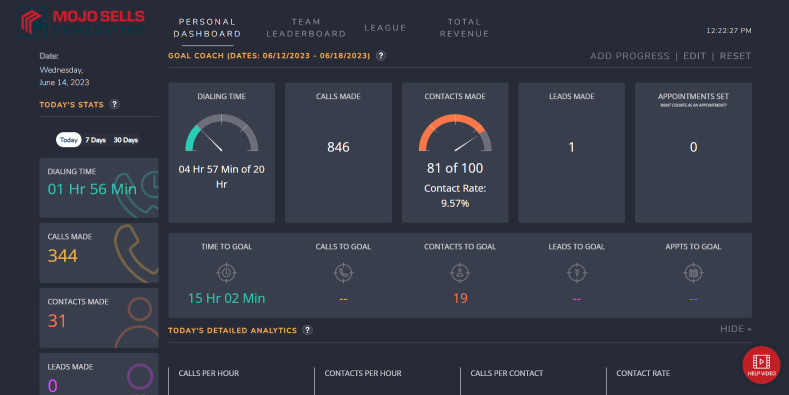
MojoSells is one of the most effective real estate dialing platforms on the market; however, it is not a comprehensive customer relationship management (CRM) system. While it excels at high-volume calling, lead tagging, and list management, it falls short in areas such as deep automation, drip marketing, and two-way syncing. That’s why many agents and teams choose to connect Mojo with their preferred CRM to get the best of both worlds.
In this guide, we’ll break down exactly what’s possible with CRM integration, identify the limitations, and explain how to structure your tech stack so that Mojo serves as your calling engine. At the same time, your CRM acts as the follow-up brain.
What Works with MojoSells CRM Integration?

MojoSells can connect with several popular real estate CRMs through APIs, manual imports, or automation tools.
Follow Up Boss offers one of the smoothest integrations with Mojo. You can use an API connection to sync contacts and notes from Mojo directly into FollowUp Boss, reducing duplicate data entry and keeping your follow-up sequences in one place.

kvCORE users can import and export data between the two systems. While the note logging is manual, kvCORE’s robust automation tools make it easy to trigger follow-up campaigns once the leads are inside the CRM.
LionDesk offers CSV syncing and browser extensions that facilitate quicker transfer of lead data from Mojo to LionDesk. This is especially useful for agents who rely on LionDesk’s email and text drip features to keep prospects engaged.
Zapier serves as a bridge between Mojo and many other CRMs, calendars, and Google Sheets. By creating custom “Zaps,” you can automate lightweight workflows such as sending new Mojo contacts to your CRM or adding appointments directly to your calendar.
What’s Limited with MojoSells CRM Integration?
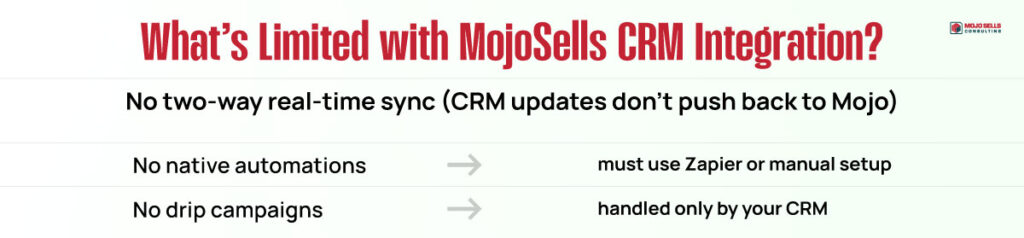
Despite its strengths, Mojo has limitations that agents should be aware of before building their workflow around it.
First, MojoSells does not natively support two-way real-time sync with most CRMs. This means that while you can send data out of Mojo, updates made in your CRM will not automatically flow back into Mojo without manual intervention or the use of a third-party tool.
Second, automations require manual setup or the use of third-party platforms, such as Zapier. Out of the box, Mojo will not trigger complex workflows in your CRM without some configuration.
Finally, Mojo does not run campaigns and drip logic internally. To set up multi-step nurture sequences, they must be built within your CRM or marketing automation platform. Mojo can initiate the contact, but the long-term follow-up must happen elsewhere.
How to Make the Most of MojoSells + CRM Integration?
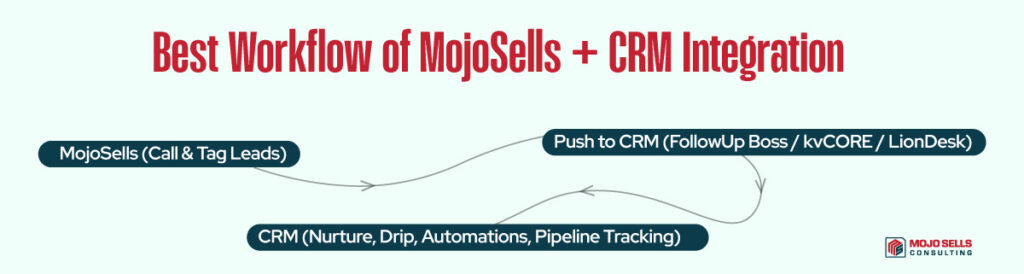
The most effective way to integrate Mojo into your real estate business is to treat it as your front-end lead generation tool. Use Mojo for initial calls, tagging, and appointment setting. Then, once the lead is qualified, push it into your CRM where it can enter a drip campaign, receive automated texts or emails, and be tracked through the sales pipeline.
By splitting these functions, you get the speed and efficiency of Mojo’s dialing engine combined with the depth of your CRM’s automation and follow-up capabilities. This ensures no lead slips through the cracks and every conversation is documented for future reference.
The Bottom Line
MojoSells is an exceptional prospecting tool, but it is not designed to replace a full-featured CRM. For the best results, integrate it with a platform like FollowUp Boss, kvCORE, or LionDesk. Use Mojo to power your daily calls, and let your CRM handle drip campaigns, task automation, and long-term relationship management.